










How to Know When a 510 Cartridge Is Empty: Cart, Battery, or Clog?

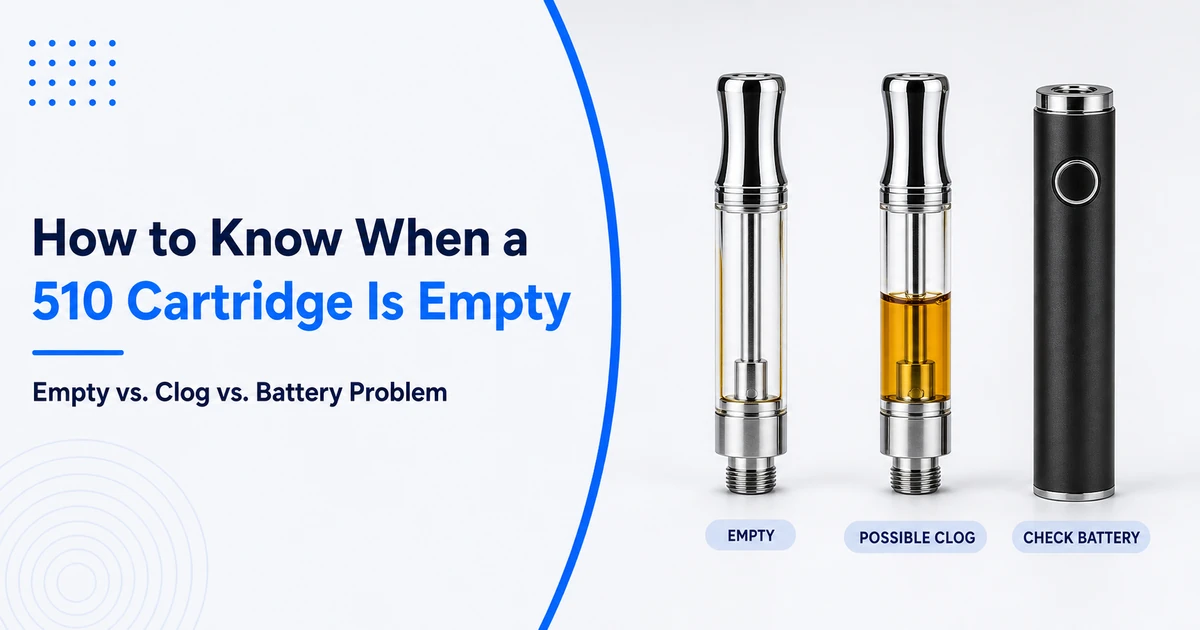
To know when a 510 cartridge is empty, start with the reservoir rather than vapor output alone. A cartridge with little visible oil may be finished, but a low battery, clogged airflow path, dirty external contact, incompatible pairing, or hardware fault can also cause weak or absent vapor.
This article covers 510-thread oil cartridges used with compatible batteries; refillable e-liquid tanks, proprietary pods, and other attachments may behave differently. In this setup, the two main replaceable assemblies are the cartridge and the battery. The checks compare visible oil, airflow, battery behavior, and external contact without opening the cartridge or bypassing protections.
Quick Answer
The best way to know when a 510 cartridge is empty is to confirm that little or no oil is visible and normal output does not return after you verify battery charge, external contact, and airflow. No vapor alone is not proof: a low battery, blocked airflow, dirty contact, incompatibility, or hardware failure can look the same. Stop testing after a dry or burnt taste, cartridge leakage or damage, or a swollen or unusually hot battery.
Key Takeaways
- Visible depletion is the strongest first clue for a transparent cartridge. A thin film on the chamber wall does not necessarily mean enough oil remains to reach the heating element.
- No vapor does not prove that a 510 cartridge is empty. Battery charge, electrical contact, airflow, compatibility, and hardware condition must also be considered.
- Visible oil plus a tight draw points more strongly toward a clog. A dry or burnt taste, damage, leakage, battery swelling, or unusual heat is a stop signal.
When Is a 510 Cartridge Empty? The Main Signs
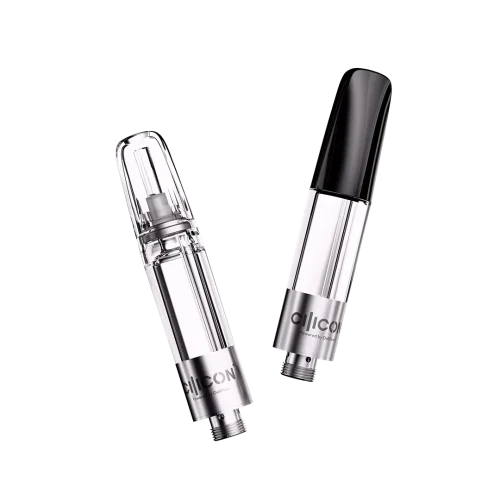
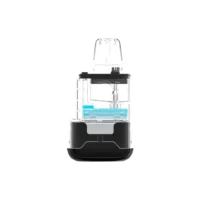
The clearest sign is little or no visible oil in a transparent reservoir after the oil has settled. Open airflow and a correctly charged, known-compatible battery make the diagnosis stronger.

Look for a combination of the following signs rather than relying on one symptom:
- Little or no pooled oil is visible. Only a thin coating or isolated residue remains on the reservoir wall.
- The remaining oil does not settle around the intake area. Cartridge construction varies, so do not assume every intake design will look the same.
- Output stays weak or absent after the battery and external connection are verified. This helps exclude a simple power or contact problem.
- Airflow remains relatively open. A noticeably tight or blocked draw is more consistent with an airflow obstruction.
- Do not use taste as confirmation. A dry or burnt taste does not prove the cartridge is empty. Stop at the first occurrence and follow the manufacturers’ instructions.
For an opaque, enclosed, or recessed chamber, use the diagnostic sequence below instead of relying on appearance.
Empty Cartridge vs. Battery Problem vs. Clog
An empty cartridge, low battery, poor connection, and clog can all reduce output. The most useful distinction comes from comparing visible oil, airflow, battery behavior, and the result of safe external checks.
| Check | Empty Cartridge | Battery or Connection Problem | Clogged Cartridge | Possible Hardware Failure |
|---|---|---|---|---|
| Visible oil | Little or none; residue may remain on the walls | Oil may still be visible | Oil usually remains visible | Oil may still be visible |
| Airflow | Often relatively open | Often relatively open | Tight, restricted, or blocked | May be open or restricted |
| Battery response | May appear normal; most standard 510 battery indicators do not report cartridge fill level | May be uncharged, locked, poorly connected, or in a protection state | May appear normal | Behavior may be inconsistent or abnormal |
| After charging according to the manual | No meaningful improvement if the cartridge is truly empty | Operation may return if low charge was the cause | Restricted airflow usually remains | The problem may remain |
| With a known-compatible, non-empty cartridge | Battery may work normally | Helps identify whether the battery or original connection is involved | Does not clear the original cartridge’s airflow | Can help isolate the failed component |
| Best next step | Replace or service the cartridge as its manufacturer directs | Follow the battery manual and inspect accessible external contacts | Follow the cartridge maker’s approved clog guidance | Stop use and contact the seller or manufacturer |
The table is a diagnostic guide, not a universal device specification. Battery indicator codes, supported resistance, output settings, activation methods, and protection behavior vary by model. The Cilicon 510 thread battery collection explains the compatibility factors brands and users should confirm for a specific pairing.
How to Check Whether a 510 Cartridge Is Empty
Use a non-destructive inspection sequence to rule out simple power, contact, and airflow problems without opening the cartridge, bypassing battery protections, or repeatedly heating a dry coil.

1. Stop and Inspect the Hardware First
Stop immediately if the cartridge is cracked, leaking, unusually hot, or physically damaged. If the battery is swollen, damaged, leaking, smoking, or unusually hot, do not charge, detach, move, or continue troubleshooting it. Keep people away and follow the manufacturer’s safety instructions or local emergency guidance.
2. Check the Reservoir in an Upright Position
For a transparent cartridge, look for pooled oil rather than a light film and let the oil settle naturally. Never use a flame, hair dryer, or other direct heat. If the chamber is opaque or hidden, continue with the remaining checks.
3. Verify the Battery According to Its Manual
Charge and operate the battery only as its manufacturer directs. Do not assume a specific charging time or blinking-light meaning applies to every 510 thread battery.
The FDA’s vape battery guidance recommends using batteries intended for the device, charging on a clean and flat surface away from combustible materials, and avoiding charging or storage in extreme temperatures. CPSC battery-safety resources address batteries, chargers, and finished products as a system. Separately, confirm mechanical and electrical compatibility using the cartridge and battery manufacturers’ specifications.
4. Inspect Only Accessible External Contacts
Turn off the battery if the model has a power control, detach the cartridge, and check accessible thread and contact surfaces. Remove loose residue with a dry cotton swab or lint-free cloth. Do not immerse the battery, add liquid, pry the center contact, or insert metal tools.
5. Compare the Airflow
Restricted airflow while oil remains visible suggests a clog more strongly than an empty cartridge. Do not compensate by pulling harder, inserting a needle, or applying uncontrolled heat. Use only an airflow-clearing method approved for that cartridge design.
For more symptom-specific guidance, see Cilicon’s overview of common 510 cart issues.
6. Reconnect Without Overtightening
Attach the cartridge only until secure; overtightening can interfere with the contact. If the manufacturer’s instructions permit test activation, use the specified method and output range. Stop at the first dry or burnt taste, abnormal output, or unexpected heat.
7. Use a Known-Compatible Comparison Only When Appropriate
If the manufacturer permits it, a known-compatible, non-empty cartridge can help isolate the problem. Normal operation suggests the original cartridge is empty, clogged, or faulty; failure with both points toward the battery or connection. Mechanical fit alone does not confirm output, resistance, center-contact position, diameter, or airflow compatibility.
Why a Cartridge Can Look Empty When It Is Not
A cartridge can appear empty even though a small amount of oil remains outside the easiest viewing area. That remaining oil may not be usable, and appearance alone becomes less reliable in opaque or enclosed hardware.
Common reasons include:
- Oil coating the reservoir wall. A thin film can look substantial under reflected light but may not reach the heating system.
- Oil outside the viewing window. Recessed chambers and internal structures can hide part of the remaining fill.
- Slow oil movement. Oil behavior depends on the formulation, cartridge design, and surrounding conditions. Let the cartridge settle naturally instead of applying direct heat.
- An air bubble near the intake area. A bubble can affect how the remaining oil appears, but a bubble alone does not measure how much usable oil remains.
- Leakage. A suddenly low level accompanied by visible leakage is a hardware or handling problem, not normal proof that the cartridge was fully consumed.
Common Mistakes and When to Stop Troubleshooting
Weak or absent vapor should lead to non-destructive checks, not more power or repeated activation. Do not treat a blinking light as an empty warning; standard 510 battery indicators vary by model and usually communicate battery or protection status rather than cartridge fill level. Do not raise the output, use direct heat, insert sharp tools, pry open a sealed cartridge, or bypass battery protections.
Stop at the first dry or burnt taste. Also stop if the cartridge is cracked, leaking, deformed, or unusually hot; if the battery is swollen, damaged, leaking, smoking, or unusually hot; if unresolved protection indications continue; or if the cartridge-and-battery pairing cannot be verified. Do not handle or move an actively overheating or smoking battery. Keep people away and follow manufacturer or local emergency guidance.
For background on the reservoir, heating element, thread, and battery, see how 510 cartridges work. If a component remains abnormal after approved checks, contact the seller or manufacturer rather than attempting an internal repair.
What Should Vape Brands Test Before Calling a Cartridge Empty?
Vape brands should define end-of-fill behavior using the exact oil, cartridge, battery, and operating instructions intended for the final product. A consumer-facing definition of “empty” should not depend on a generic puff count or universal battery code.
Before launch, review remaining-oil visibility, contact consistency with the intended battery, airflow near the end of the fill, the approved output and resistance range, and the wording support teams will use to distinguish an empty cartridge from a clog or power fault. User instructions should also state clear stop conditions.
Cilicon supplies 510 thread cartridge hardware for wholesale and customized hardware programs. For an OEM or ODM project, compatibility review, or hardware inquiry, contact Cilicon with the intended cartridge, battery, oil, and filling requirements.
Frequently Asked Questions
How Can I Tell If My 510 Cartridge Is Empty or Clogged?
An empty transparent cartridge usually has little or no pooled oil, while airflow may remain relatively open. A clogged cartridge often still contains visible oil but feels tight or blocked during use. Weak vapor can occur in either case, so compare the oil level and airflow before drawing a conclusion.
Why Is My 510 Cartridge Not Hitting Even Though It Is Not Empty?
Possible causes include a low or locked battery, poor external contact, restricted airflow, incompatible battery output, or a failed component. Follow the battery and cartridge manuals, verify the visible oil level, inspect accessible external contacts, and use only known-compatible hardware when isolating the problem.
Does a Blinking 510 Battery Mean the Cartridge Is Empty?
Not necessarily. Most standard 510 batteries do not directly report cartridge fill level. Blinking may communicate charge, activation, connection, or a protection condition, and the meaning varies by model. Check the specific battery manual instead of treating one flash pattern as universal.
Can I Test the Cartridge With a Different 510 Battery?
Only use another battery when both manufacturers confirm that the cartridge and battery are compatible. Matching threads do not guarantee the correct diameter, center contact, resistance, output, or airflow. A known-compatible comparison can help isolate a fault, but unknown hardware introduces another variable and may create a safety problem.
How Many Puffs Does a 510 Cartridge Last?
There is no dependable universal puff count. Cartridge capacity, oil formulation, output, draw duration, hardware design, leakage, and individual use all affect consumption. If you need lifecycle guidance rather than an immediate empty-cartridge diagnosis, read about the factors that influence how long vape cartridges last.
Conclusion
The most reliable way to know when a 510 cartridge is empty is to combine visible depletion with battery, external-contact, and airflow checks. No vapor alone is not enough: power, connection, clog, compatibility, or component faults can look the same.
If little or no usable oil remains and the system checks out, follow the cartridge maker’s replacement instructions. Stop at the first burnt taste, leak, damage, or unusual heat. Brands comparing 510 hardware can review Cilicon’s cartridge and battery collections or contact Cilicon about a verified OEM/ODM configuration.

Written by:
Ethan Parker
Hello, I’m Ethan, a content marketing specialist at CILICON, a top-tier cannabis vape manufacturer. My goal extends beyond merely promoting products; it is more importantly about helping people understand and learn about cannabis and vaping, providing them with relevant knowledge and information. Having graduated from University of North Carolina, I cultivated a strong passion and interest in nicotine, cannabinoids, and vape products. At CILICON, I integrate this knowledge and enthusiasm into content creation, sharing interesting and valuable insights.
