















Vape Pen Blinking 3 Times: How to Fix and Typical Causes
If your vape pen is blinking 3 times, the most important thing to know is that three flashes do not have one universal meaning.
On many 510 vape batteries, three flashes during activation can indicate a connection problem, short-circuit protection, or an atomizer error. But on other devices, three blinks may indicate a low battery, a voltage change, or simply confirm a button command.
So before trying to fix anything, pay attention to when the three blinks happen.
Quick Answer: Why Is My Vape Blinking 3 Times?
Start by matching the blinking pattern to what you were doing:
| When it blinks 3 times | What it may mean |
|---|---|
| When you try to take a hit | Cartridge connection, atomizer, short-circuit, or battery issue |
| Immediately after attaching a cartridge | Poor contact, incompatible cartridge, or protection response |
| After pressing the button 3 times | Voltage or power-mode change on some batteries |
| After the battery has been used for a while | Low battery or protection response on some models |
| While charging | Charging status or charging fault, depending on the device |
The exact meaning depends on your vape pen model.
If the device manual gives a three-blink code, follow that first. If you do not have the manual, the troubleshooting steps below can help identify whether the problem is coming from the battery, cartridge, or connection.
First, Did the Vape Blink Because You Clicked the Button 3 Times?
This is easy to overlook.
On many variable-voltage vape batteries, pressing the button three times quickly changes the voltage or power setting.
If the vape flashes three times immediately after you intentionally clicked the button three times—and otherwise works normally—the flashing may not be an error at all.
Check whether:
- the LED changed color;
- the voltage setting changed;
- the device still produces vapor normally; or
- three clicks are listed as a control command in the manual.
Do not assume every three-blink pattern means something is broken.
For more on button controls, see how to use a 510 battery with a button.
Why Does My Vape Pen Blink 3 Times and Not Hit?
If the vape blinks three times when you try to use it and produces no vapor, the issue is more likely to involve the cartridge, electrical connection, or a protection function.
Here are the most useful things to check.
1. The Cartridge May Not Be Making Proper Contact
A 510 battery needs electrical contact with the cartridge before it can power the atomizer.
Oil residue, dust, an improperly seated cartridge, or damaged threads can interrupt that connection.
You may notice:
- three flashes when pressing the button;
- blinking when inhaling;
- no vapor;
- intermittent operation; or
- the vape working only when the cartridge is positioned a certain way.
What to Do
Turn the battery off and disconnect it from the charger.
Remove the cartridge and inspect:
- the 510 threads;
- the center contact;
- the bottom of the cartridge; and
- any visible oil or debris.
Use a dry cotton swab or soft lint-free cloth to remove loose residue.
Then reinstall the cartridge gently until it is snug.
Do not overtighten it.
2. The Battery May Be Detecting a Short Circuit or Atomizer Problem
Many regulated vape batteries include protection circuitry that stops power delivery when the device detects an abnormal electrical condition.
On some batteries, three flashes are used as a short-circuit warning.
The problem may come from:
- a damaged cartridge atomizer;
- liquid around the electrical contacts;
- damaged insulation;
- an internal cartridge fault; or
- incompatible electrical characteristics.
If the three blinks begin immediately after installing a particular cartridge, that cartridge becomes one of the first things to check.
Try a Cartridge Swap Test
If you have another known-compatible, working cartridge, attach it to the same battery.
If:
Battery + Cartridge A = 3 blinks and no vapor
but:
Battery + Cartridge B = works normally
then Cartridge A is probably the source of the problem.
If the battery blinks three times with multiple known-working cartridges, the problem is more likely related to the battery or compatibility.
3. The Cartridge May Be Overtightened
Screwing a cartridge on as tightly as possible does not create a better connection.
Overtightening can place unnecessary pressure on:
- the center contacts;
- threading;
- insulators; or
- cartridge base.
If your 510 battery started blinking 3 times after changing or tightening a cartridge, remove it and reinstall it gently.
Stop when the cartridge is securely seated.
Do not force it farther.
4. The Battery May Be Low
Three blinks do not universally mean low battery, but some devices do use a short blinking sequence to indicate that there is not enough charge to operate normally.
If you have not charged the device recently, charging is an easy problem to rule out.
Use charging equipment recommended for the specific battery and allow it to charge normally.
Do not assume:
- red always means low battery;
- green always means fully charged; or
- three flashes always mean the same charge state.
LED colors and patterns vary between devices.
For more information, see how long a 510 battery takes to charge.
5. The Cartridge and Battery May Not Be Fully Compatible
A cartridge and battery can both use 510 threading and still have compatibility problems.
510 mainly describes the threaded connection.
Actual operation can also depend on:
- cartridge resistance;
- battery output range;
- center-contact position;
- cartridge dimensions;
- airflow design; and
- device protection settings.
So if your vape pen flashes three times only with one particular cartridge, do not immediately assume the battery is defective.
Check whether that cartridge is suitable for the battery.
6. A Protection Function May Have Been Triggered
Vape batteries can use blinking LEDs to communicate several protection conditions.
Depending on the device, these may include:
- activation timeout;
- over-temperature protection;
- short-circuit protection;
- low-voltage protection; or
- unsupported resistance.
For example, if the device begins blinking after an unusually long button press or repeated use, release the button and allow the device to return to normal temperature.
Do not keep pressing the button repeatedly when the battery is actively showing an error signal.
How to Fix a Vape Pen Blinking 3 Times
If you do not know what the three flashes mean on your exact model, use this order:
Step 1: Check the Manual
Look for the LED indicator or protection-code section.
This is the most reliable answer because three flashes do not mean the same thing across every vape pen.
Step 2: Check the Charge
If the battery may be low, charge it using the recommended equipment.
Then test it again.
Step 3: Remove the Cartridge
Inspect the battery and cartridge connection for visible oil, dirt, or damage.
Step 4: Clean the Contacts
With the battery off and disconnected from charging equipment, use a dry cotton swab or lint-free cloth.
Step 5: Reattach the Cartridge Gently
Install it until snug.
Do not overtighten.
Step 6: Try Another Compatible Cartridge
This is one of the fastest ways to determine whether the problem is coming from the battery or cartridge.
Step 7: Stop If the Error Persists
If several compatible cartridges all trigger the same three-blink error, the battery may need manufacturer support or replacement.
Vape Pen Blinking 3 Times After Charging
If your vape pen is fully charged but still blinking 3 times, charging it again is unlikely to solve the underlying issue.
Focus instead on:
- the cartridge connection;
- the cartridge itself;
- compatibility;
- the battery’s LED code; and
- possible protection activation.
Try another compatible cartridge if one is available.
If one cartridge works while another produces three flashes, the battery is less likely to be the problem.
Vape Pen Blinking 3 Times With a New Cartridge
If the blinking started immediately after attaching a new cartridge, check the cartridge first.
Possible explanations include:
- poor electrical contact;
- cartridge overtightening;
- incompatible resistance;
- different center-contact geometry; or
- a defective cartridge atomizer.
Remove the cartridge, inspect the connection, and reinstall it gently.
If possible, test the battery with the previous known-working cartridge.
Vape Pen Blinking 3 Times With No Cartridge Attached
This situation needs to be interpreted carefully.
Some batteries may intentionally display an error when no atomizer is detected, while other batteries may show a completely different pattern.
If the battery blinks three times even with no cartridge attached, do not use that observation alone to diagnose a short circuit or dead battery.
Check the device’s indicator guide.
If the battery behaves abnormally with multiple compatible cartridges as well, the battery itself becomes a more likely source of the problem.
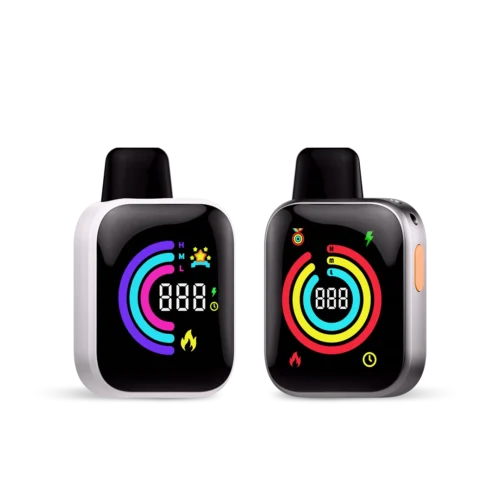
What If a Disposable Vape Blinks 3 Times?
A disposable vape is different from a separate 510 battery-and-cartridge setup.
Because the battery, atomizer, reservoir, and sensor are integrated into one device, you normally cannot isolate the problem by swapping cartridges.
Three flashes on a disposable may indicate:
- low battery;
- activation timeout;
- a protection response;
- sensor or atomizer fault; or
- another model-specific status.
If the disposable is rechargeable, charge it only as directed by the manufacturer.
If it is charged but continues blinking without producing vapor, or if it becomes unusually hot or physically damaged, stop using it.
For broader disposable-vape blinking problems, see why a vape is flashing and not working.
What Not to Do When Your Vape Blinks 3 Times
Some online troubleshooting advice can cause more problems than it solves.
Avoid:
- prying the center contact upward with a paper clip, screwdriver, or metal tool;
- opening a sealed battery;
- bypassing the protection circuitry;
- forcing a cartridge into damaged threads;
- continuing to use a battery that becomes unusually hot;
- charging a visibly damaged battery; or
- repeatedly firing the device while it is displaying an error.
Start with non-invasive troubleshooting first.
If the electrical contact is physically damaged, replacement or manufacturer support is safer than trying to modify the battery yourself.
When Should You Stop Using the Vape Pen?
Stop troubleshooting and discontinue use if you notice:
- swelling;
- unusual heat;
- a burning smell;
- visible battery damage;
- a damaged charging port;
- liquid entering the battery;
- repeated unexplained activation;
- damaged wiring or contacts; or
- abnormal behavior while charging.
Rechargeable vape devices commonly use lithium-ion batteries, so damaged batteries should not be treated as ordinary mechanical parts.
The FDA recommends following manufacturer charging and care instructions and keeping charging devices away from easily flammable materials.
Do Other Blink Counts Have Universal Meanings?
No.
You may see online charts claiming things such as:
- 3 blinks = short circuit;
- 5 blinks = low battery;
- 10 blinks = dead battery;
- 15 blinks = overheating.
These patterns may be correct for certain devices, but they are not universal standards.
The same applies to LED colors.
Red, green, blue, white, yellow, and other colors can represent completely different functions depending on the device.
For that reason, this article does not assign one universal meaning to every blink count or LED color.
Use the manual for the exact model whenever possible.
Final Takeaway
So, what does it mean when a vape pen blinks 3 times?
There is no single answer for every device.
On many 510 vape batteries, three flashes during activation can be related to a connection problem, cartridge fault, short-circuit protection, or another protection condition.
But three flashes can also be a normal device command or a different battery status on other models.
If your vape blinks three times and will not hit, check in this order:
- Check the device manual.
- Confirm the battery is charged.
- Remove and inspect the cartridge.
- Clean the contacts.
- Reinstall the cartridge without overtightening.
- Test another compatible cartridge.
- Stop using the battery if it is damaged, unusually hot, or continues showing unexplained errors.
The most useful question is not simply “What do three blinks mean?”
It is:
“When do the three blinks happen, and does the problem follow the battery or the cartridge?”
That usually gets you to the actual cause much faster.
Vape Pen Blinking 3 Times FAQ
Why is my vape pen blinking 3 times and not hitting?
A connection problem, cartridge fault, battery protection response, or short-circuit condition may be preventing activation. Check the model-specific blink code first, then inspect and reconnect the cartridge.
Does 3 blinks mean my vape battery is dead?
Not necessarily. Some devices may use three flashes for a low battery, but others use the same number for short-circuit protection, connection errors, or device commands.
Why does my 510 battery blink 3 times with a cartridge?
The battery may not be making proper contact with the cartridge, the cartridge may be faulty or incompatible, or the battery may be responding to an abnormal electrical condition.
Why does my vape blink 3 times after I click the button?
If you clicked the button three times intentionally, you may have changed the voltage or operating mode on a variable-voltage battery. Check the device instructions and see whether the LED changed color or setting.
Why is my vape blinking 3 times even though it is fully charged?
If charge is not the problem, check the cartridge connection, compatibility, cartridge atomizer, and the battery’s protection code. Testing another compatible cartridge can help isolate the issue.
Can overtightening a cartridge cause a vape to blink?
It can contribute to connection problems by placing pressure on the center contacts or connector. Attach a cartridge until it is snug rather than tightening it as far as possible.
Should I pull up the center pin if my battery blinks 3 times?
Do not pry the battery contact with metal tools. Start by cleaning and gently reconnecting the cartridge. If the connector is physically damaged, contact the manufacturer or replace the battery.
Is a vape pen blinking 3 times dangerous?
The flashing itself is an indicator, not necessarily a dangerous event. However, if it occurs together with unusual heat, swelling, physical damage, a burning smell, or abnormal charging behavior, stop using the device.
