














Why is My 510 Thread Battery Not Working?

If your 510 thread battery is not working, the battery itself may not actually be broken.
The most common causes are a low charge, dirty or poorly aligned contacts, an overtightened cartridge, a cartridge problem, incompatible hardware, or a protection mode triggered by the battery.
Before replacing anything, start with a few simple checks.
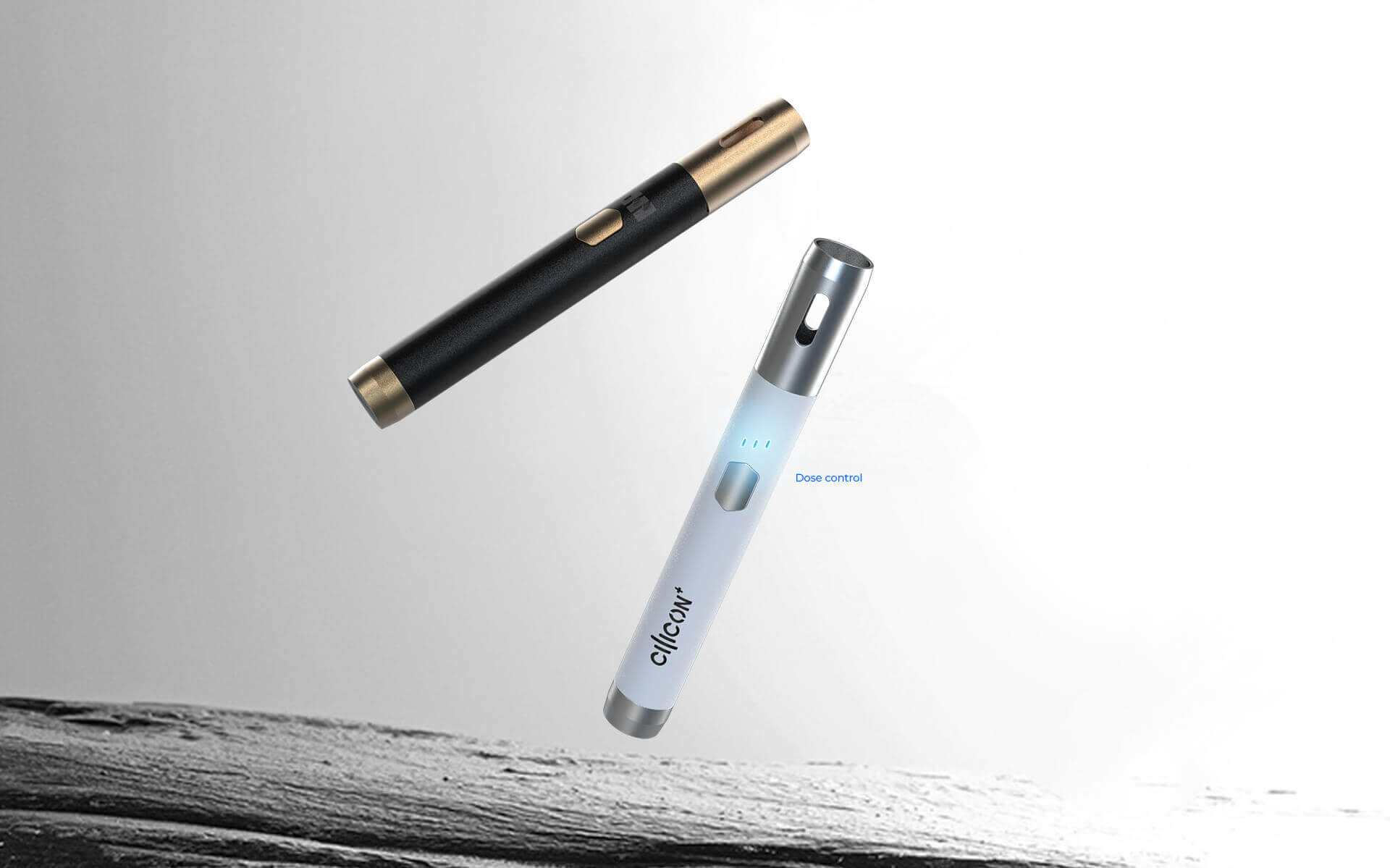
Quick Answer: Why Is My 510 Battery Not Working?
Try these steps in order:
- Make sure the battery is charged and turned on.
- Remove and reconnect the cartridge without overtightening it.
- Check the battery and cartridge contacts for oil, dust, or debris.
- Try another compatible cartridge if you have one.
- Check what the LED blinking pattern means for your battery.
- Confirm the cartridge is compatible with the battery’s output range.
- Stop using the battery if it is damaged, unusually hot, or will not charge normally.
The behavior of the battery can usually tell you where the problem is.
| What you see | Likely cause | What to check first |
|---|---|---|
| No light at all | Battery off, discharged, or damaged | Power controls and charging |
| Light blinks | Low charge, connection issue, protection mode, or compatibility issue | Manual, charge, cartridge connection |
| Light turns on but no vapor | Cartridge connection, empty/clogged cartridge, or atomizer issue | Cartridge and contacts |
| Battery will not charge | Cable, port, charger, or battery problem | Charging equipment |
| Works only sometimes | Dirty or unstable connection | Threads and contacts |
| Works with one cartridge but not another | Cartridge or compatibility issue | Test the second cartridge |
1. The 510 Battery May Be Off or Locked
Start with the simplest possibility: the battery may not actually be turned on.
Many button-operated 510 batteries use a multi-click sequence to turn the device on or off. Five clicks is common, but it is not universal.
Some batteries use the button for:
- power;
- manual activation;
- voltage adjustment;
- preheat; or
- several of these functions.
Auto-draw batteries may not require a power button at all.
If the battery has a button and does not respond, check the instructions for that specific model rather than repeatedly clicking until something changes.
For more detail, see how to use a 510 battery with a button.
2. The Battery May Be Discharged
A low or empty battery is one of the easiest problems to rule out.
Connect the battery using the charging equipment recommended for that model and watch the indicator light.
Depending on the battery, the LED may show:
- charging status;
- remaining battery level;
- full charge;
- charging error; or
- no response.
LED colors are not standardized across all 510 batteries, so do not assume that red, green, white, or another color always means the same thing.
If the battery charges normally but still does not work afterward, move on to the cartridge connection.
If you are unsure how long charging should take, see how long a 510 battery takes to charge.
3. The Cartridge May Not Be Making a Good Connection
A 510 battery and cartridge need electrical contact between their center contacts and threaded connection.
If that connection is interrupted, the battery may:
- blink;
- fail to activate;
- work intermittently; or
- appear completely unresponsive with that cartridge.
Remove the cartridge and inspect the connection.
Look for:
- oil residue;
- dust;
- lint;
- damaged threads;
- a cartridge sitting at an angle; or
- other visible contamination.
With the battery turned off and disconnected from its charger, loose residue can be gently removed with a dry cotton swab or soft lint-free cloth.
Then reconnect the cartridge until it is snug.
Do not force it.
4. The Cartridge May Be Overtightened
Tighter is not always better with a 510 connection.
Overtightening a cartridge can place unnecessary pressure on the contacts or threads and may prevent the battery and cartridge from connecting correctly.
If your 510 battery lights up but is not hitting, try removing the cartridge and reinstalling it gently.
Stop when it is secure rather than tightening it as far as possible.
Also avoid trying to repair the connection by:
- inserting paper clips or other metal tools;
- prying the center contact upward;
- opening the battery;
- bypassing protection circuitry; or
- forcing damaged threads together.
If normal reconnection does not restore contact, test another cartridge or contact the manufacturer.
5. The Cartridge May Be the Problem, Not the Battery
This is an important step because a battery problem and a cartridge problem can look almost identical.
A cartridge may fail to produce vapor because it is:
- empty;
- clogged;
- leaking;
- damaged;
- not making electrical contact; or
- internally faulty.
One of the easiest ways to isolate the problem is a swap test.
If possible:
Battery A + Cartridge A doesn’t work
Try:
Battery A + known-working Cartridge B
If Cartridge B works normally, the battery is probably functioning and Cartridge A is the more likely source of the problem.
If neither cartridge works, investigate the battery, connection, or compatibility.
For cartridge-specific problems, see our guide to common 510 cartridge issues.
Why Is My 510 Battery Charged but Not Working?
If the battery appears fully charged but still does not activate the cartridge, focus on the connection and cartridge rather than charging it again.
Check:
- Is the battery actually switched on?
- Is the cartridge attached correctly?
- Are the contacts clean?
- Is the cartridge overtightened?
- Does another compatible cartridge work?
- Is the battery showing an error or protection signal?
A fully charged battery still may not fire if it cannot detect or properly power the attached cartridge.
Why Does My 510 Battery Light Up but Not Hit?
If the LED activates normally but you get no vapor, power is reaching at least part of the battery’s control system.
The problem may instead be:
- poor cartridge contact;
- a clogged cartridge;
- an empty cartridge;
- a failed cartridge atomizer;
- incompatible resistance or output requirements; or
- a battery protection response.
First remove and reconnect the cartridge.
If the light still activates but nothing happens, try another compatible cartridge.
If the second cartridge works, the original cartridge is likely the problem.
Why Is My 510 Battery Blinking?
A blinking 510 battery is usually communicating a status or error condition rather than providing one universal message.
Depending on the model, blinking can indicate:
- low battery;
- charging status;
- poor cartridge connection;
- unsupported cartridge resistance;
- short-circuit protection;
- activation timeout;
- device lock; or
- another protection condition.
The number, color, and timing of flashes may all matter.
For example, three flashes on one battery may mean something completely different on another battery.
Because there is no universal blink-code standard, the safest approach is to check the manual for your specific battery.
If you do not know what the flashes mean, start with the basics:
Charge → reconnect → clean → test another cartridge.
Why Is My 510 Battery Not Charging?
If your 510 battery is not charging, the problem may be with the charging setup rather than the battery.
Check:
Charging cable or adapter
Inspect the cable and connector for visible damage or looseness.
Use charging equipment that matches the manufacturer’s specifications.
Charging port
Dust, residue, or physical damage can interfere with the connection.
Keep the port clean and dry.
Power source
If appropriate for the battery’s charging specification, test another suitable power source or compatible cable to isolate the problem.
Battery condition
An aging battery may stop accepting or holding a normal charge.
If the device previously charged normally but now:
- will not charge;
- becomes unusually hot;
- loses power immediately;
- repeatedly stops charging; or
- behaves unpredictably,
it may be time to replace it.
Why Does My 510 Battery Work With One Cartridge but Not Another?
A 510 thread provides a common mechanical connection, but not every 510 cartridge is guaranteed to work with every 510 battery.
Compatibility can also depend on:
- cartridge dimensions;
- center-contact position;
- airflow design;
- electrical resistance;
- battery output;
- voltage range; and
- protection settings.
This means two cartridges can both be labeled “510 thread” and still behave differently on the same battery.
If one cartridge works and another does not, the battery is less likely to be the primary problem.
Check the specifications for both the battery and cartridge before assuming either device is defective.
Could the Voltage Setting Be the Problem?
Possibly.
Variable-voltage 510 batteries allow you to change the power delivered to the cartridge.
If the setting is outside the range suitable for the cartridge, you may experience:
- weak output;
- inconsistent performance;
- burnt flavor;
- protection activation; or
- cartridge damage.
Start with the manufacturer’s recommended or lowest supported setting rather than immediately increasing the voltage.
Higher voltage is not automatically better.
For button-operated batteries, also confirm that you have not accidentally changed the output mode while trying to turn the device on.
When Should You Stop Troubleshooting and Replace the Battery?
Not every battery problem should be repaired.
Stop using the battery if you notice:
- swelling;
- visible physical damage;
- a damaged charging port;
- unusual heat during normal use or charging;
- a burning or unusual smell;
- liquid inside the battery;
- repeated unexplained shutdowns; or
- charging behavior that remains abnormal with the correct equipment.
Do not open or attempt to repair a sealed lithium battery yourself.
If the battery no longer holds a charge or consistently fails with multiple known-working cartridges, replacement is usually the more appropriate option.
How to Prevent 510 Battery Problems
A few simple habits can reduce common connection and charging issues.
Keep the 510 connection clean
Oil and debris around the contact area can interfere with electrical contact.
Don’t overtighten cartridges
Attach the cartridge until secure, not as tightly as possible.
Use compatible charging equipment
Follow the battery manufacturer’s charging specifications rather than assuming every cable or adapter is interchangeable.
Store the battery properly
Keep the device away from excessive heat, moisture, and conditions that could damage the battery or connection.
Check cartridge compatibility
510 thread does not guarantee complete electrical or physical compatibility.
If you use different cartridges regularly, make sure the battery supports their operating requirements.
When It’s the Cartridge, Not the Battery
A useful rule is:
If the battery works with another compatible cartridge, troubleshoot the cartridge.
If multiple known-working cartridges fail on the same battery, troubleshoot or replace the battery.
This simple swap test can save a lot of unnecessary troubleshooting because many “510 battery not working” problems actually originate elsewhere in the setup.
Final Takeaway
If your 510 thread battery is not working, don’t immediately assume the battery is dead.
Start with the most common possibilities:
- Make sure it is charged and powered on.
- Remove and gently reconnect the cartridge.
- Clean the contacts.
- Avoid overtightening.
- Test another compatible cartridge.
- Check the LED or protection signal.
- Confirm cartridge compatibility.
If the battery still does not work with multiple compatible cartridges—or shows signs of physical or battery damage—stop using it and consider replacement.
The most useful troubleshooting question is often not simply “Why isn’t my battery working?”
It is:
“Is the problem coming from the battery, the cartridge, or the connection between them?”
Once you isolate those three parts, most 510 problems become much easier to diagnose.
510 Thread Battery Not Working FAQ
Why is my 510 battery blinking but not hitting?
Blinking can indicate a low battery, poor cartridge connection, unsupported cartridge, device lock, or a protection condition. Charge the battery, reconnect the cartridge, and check the model-specific blink code.
Why is my 510 battery charged but not working?
A fully charged battery may still fail if the cartridge is not making electrical contact, the battery is locked, the cartridge is incompatible, or the cartridge itself has failed. Test another compatible cartridge to help isolate the cause.
Why does my 510 battery light up but no vapor comes out?
The problem may be the cartridge rather than the battery. Check for a poor connection, empty or clogged cartridge, failed atomizer, or compatibility issue.
Why is my 510 thread battery not charging?
Common causes include damaged or incompatible charging equipment, a dirty or damaged charging port, poor electrical contact, or an aging battery.
How do I know if my 510 battery is dead?
If the battery will not accept or hold a charge and does not work with multiple known-compatible cartridges after basic connection checks, the battery may have reached the end of its service life.
Are all 510 cartridges compatible with all 510 batteries?
No. The 510 thread provides a common connection format, but compatibility can still depend on cartridge size, electrical resistance, contact design, airflow, and battery output.
Can I fix the center pin on a 510 battery myself?
Avoid prying the battery contact with metal tools or opening the battery. Try cleaning and gently reconnecting the cartridge first. If the contact appears physically damaged, contact the manufacturer or replace the battery rather than modifying it yourself.
Why does my 510 battery work sometimes but not others?
Intermittent operation commonly points to an unstable connection, dirty contacts, a loose cartridge, low charge, or a failing cartridge. Cleaning the connection and testing another cartridge can help identify the source.

Written by:
John Doe
John Doe, a seasoned vape enthusiast with a deep passion for exploring the diverse world of vaping. With years of experience under his belt, John has become a connoisseur of both nicotine and cannabis vapes. His journey through various brands and models has given him a rich understanding of the nuances in vaping technology and flavor profiles. John’s insights are shaped by his hands-on experience, making him a reliable guide for anyone navigating the ever-evolving landscape of vaping.
